 ZICO
Your playlists.
Every screen.
A fast, beautiful media player for Smart TVs, Android and Windows. Add your own playlists once on our website and watch them on all your devices.
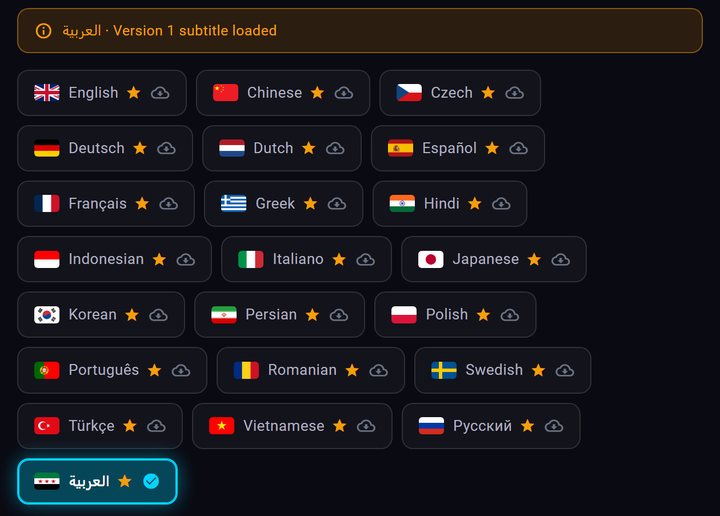
Subtitles in your language — fetched for you
Watching a film or an episode without subtitles in your language? In the player, open Subtitles, press “Search for subtitles” and tap your language when it is listed: ZICO Player Pro picks a subtitle from what its online sources found and loads it for you. No websites to search, no files to download, no account needed.
- Versions checked for youThe app checks up to three versions against your film's length and uses the first that fits — or goes straight to a version a viewer has already confirmed is in sync. If none fits, it loads the closest one and tells you, so you can pick another where there is one.
- Remembered for each titleOpen the same film or episode again on the same device and the subtitle you last used is usually put back for you, with its timing.
- Early or late? Adjust it in the playerIf the text runs early or late, press “Sync to this moment” or shift it in small steps.
- Clear to readChoose the size and colour, or add a dark band behind the text. Old Arabic subtitle files display without garbled letters.
For films and series episodes (not live TV), from what ZICO Player Pro's online subtitle sources find for each title. Download limits apply.

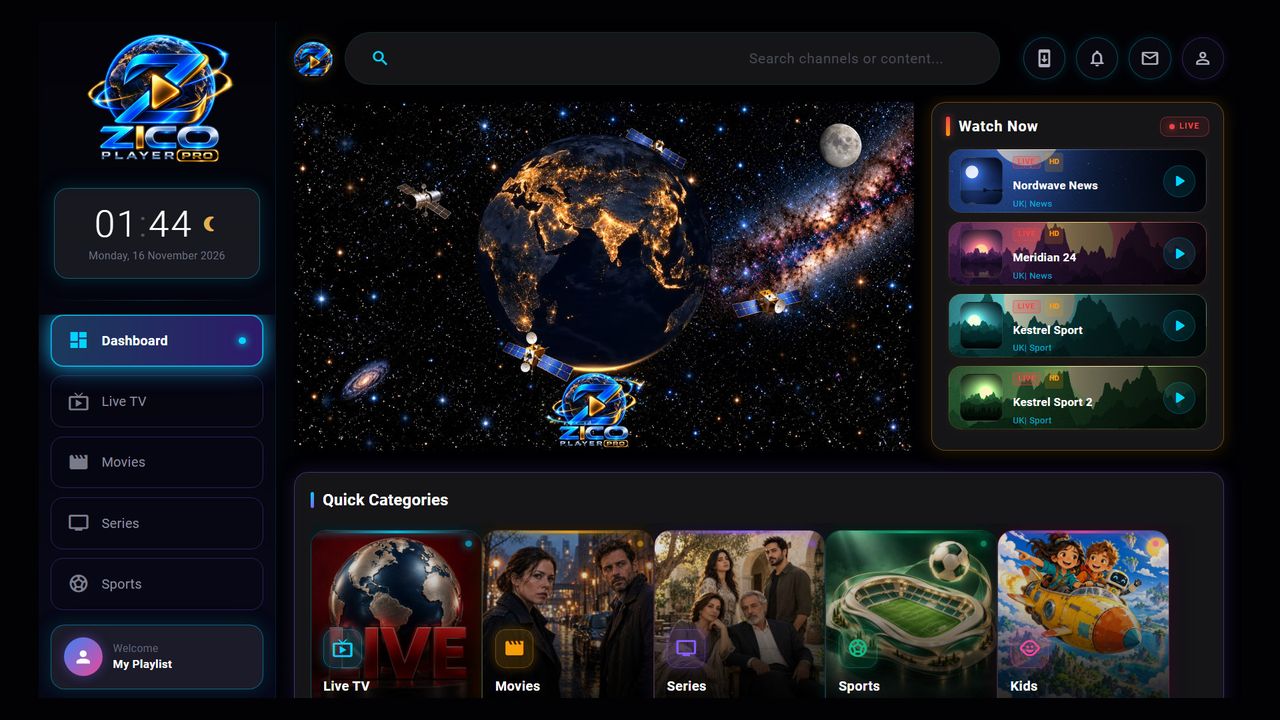
Everything you need to watch. Nothing you don't.
Your own playlists, beautifully organised — live TV, movies and series in one place, made to be used with a remote.
Live TV
Your channels sorted by country and category, with a channel list you can open while you watch.
By country & categoryMovies & series
Poster grids for films and a page for every series, with its seasons and episodes.
Seasons & episodesFavourites & folders
Keep what you love one press away, and sort it into folders of your own.
Your own foldersSearch everywhere
One search across your live channels, movies and series.
Live, movies & seriesContinue watching
Films and episodes pick up where you stopped.
Resume in one pressSubtitles & audio
Find subtitles in many languages, adjust their timing and size, and switch the audio track.
Many languagesParental lock & PIN
Lock adult content behind a PIN, and protect any playlist on the website with a PIN of its own.
PIN protected9 app languages
The app speaks Arabic, English, German, French, Spanish, Italian, Portuguese, Turkish and Russian.
Including right-to-leftCrafted for the big screen
Clear, fast navigation designed for the remote control.
Shown with demo content. ZICO Player Pro includes no channels — you add your own.
Up and running in 4 simple steps
Manage everything from our website — no typing long links with a TV remote.
Install the app on your TV or device
Get it from the download page for Android, Android TV, Fire TV Stick or Windows.
Note your MAC address & key
The app shows them under Settings → Manage on Website, with a QR code you can scan with your phone.
Add your playlist links online
Paste your M3U link or Xtream Codes account here on the website. Credentials are encrypted before they are stored.
Activate after the free trial
Enjoy 7 days completely free. Then activate the device on the website with a code: €10 a year.
Yearly licence
One clear price. A one-off code — nothing renews by itself.
- All features included
- Free app updates
- 7-day free trial first — nothing to pay to try
- Activated here on the website with a code
- One licence per device
To get a code, contact us with your MAC address: dev@zicoplayerpro.com
Important notice
ZICO Player Pro is a media player only. It does not include, sell or provide any channels or content, and hosts no streams. You add your own playlists and you are responsible for them and for their legality where you live.